5 Security Mistakes Everyone Makes on Their Smartphone.
Your smartphone has become an extension of yourself. It contains your photos, conversations, banking information, and much more. Yet, most of us make basic security mistakes that turn this device into an easy target for cybercriminals. Discover the 5 most common mistakes and how to avoid them.

1. Not Locking Your Screen: The Wide Open Door
This is the simplest, most obvious, yet one of the most widespread mistakes. Leaving your phone unlocked, even for a few moments, is like leaving the front door of your house wide open. If it's lost or stolen, all your personal data is at the mercy of whoever gets their hands on it.
The solution:
- Activate a strong PIN, a complex pattern, or, even better, a fingerprint or facial recognition.
- Set up automatic locking after a short period of inactivity (for example, 30 seconds).
2. Connecting to Unsecured Public Wi-Fi Networks: The Highway for Hackers
That chic restaurant with free Wi-Fi seems tempting, but it's a trap. Open public Wi-Fi networks are usually not encrypted. This means that the information you send, including passwords and credit card details, can be intercepted by hackers on the same network.
The solution:
- Avoid making sensitive transactions (online purchases, accessing your bank account) on public Wi-Fi networks.
- Use a VPN (Virtual Private Network). It creates a secure, encrypted tunnel for your data, protecting you from prying eyes.
3. Downloading Apps from Unofficial Sources: The Disguised Trojan Horse
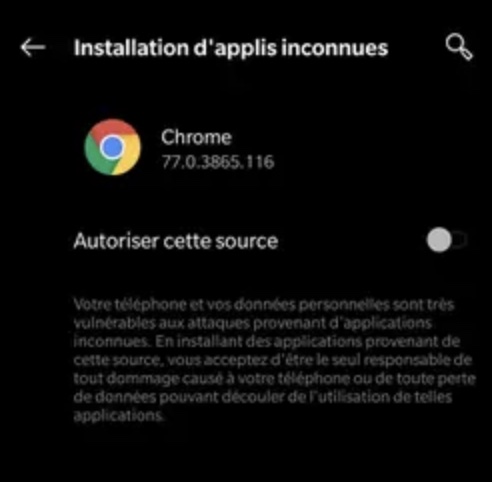
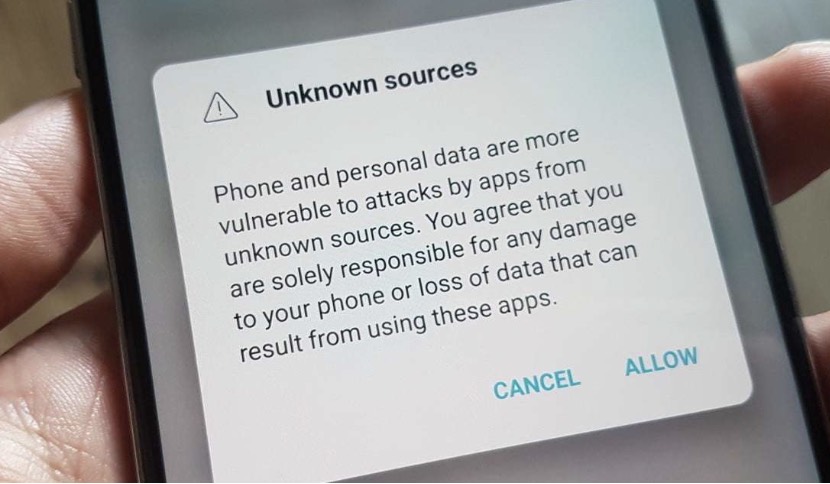
Official app stores (Google Play Store and Apple App Store) have strict security protocols. Downloading apps from third-party websites or unofficial stores means risking the installation of malware, viruses, or spyware. These apps can collect your personal data without your knowledge.
The solution:
- Only download applications from official stores.
- Always check user reviews and the permissions requested by the app before installing it.
4. Ignoring Software Updates: The Pierced Shield
Your phone asked you to update the operating system or an app, but you pressed "later"? Don't make that mistake again. Software updates aren't just there to add new features. They also fix discovered **security vulnerabilities**. By ignoring these updates, you leave your smartphone vulnerable to known exploits by hackers.
The solution:
- Enable automatic updates for your operating system and apps.
- Install updates as soon as they are available.
5. Using a Single Password for Everything: The Key That Opens All Locks
This is the same mistake made on computers, but it's even more dangerous on a smartphone that centralizes so many aspects of your life. If one password is compromised, all your accounts (email, social networks, banking services) are in danger.
The solution:
- Use a password manager to generate and store unique, complex passwords for each app and service.
- Enable two-factor authentication (2FA) on all apps that offer it.
Conclusion:
Your smartphone is a goldmine for cybercriminals. Don't make it easy for them. By avoiding these 5 simple mistakes, you can greatly improve the security of your data and browse with peace of mind. Protecting your smartphone means protecting your digital life.And don't forget, the DigitalKif team is always by your side to support and assist you.